Add-ons & plugins
Add-ons that take your order flow further
Count and correct stock, sell at the counter, or run your warehouse without a webshop. Plus free WordPress plugins for WooCommerce stores.
The 30-day trial includes the Inventory and POS add-ons
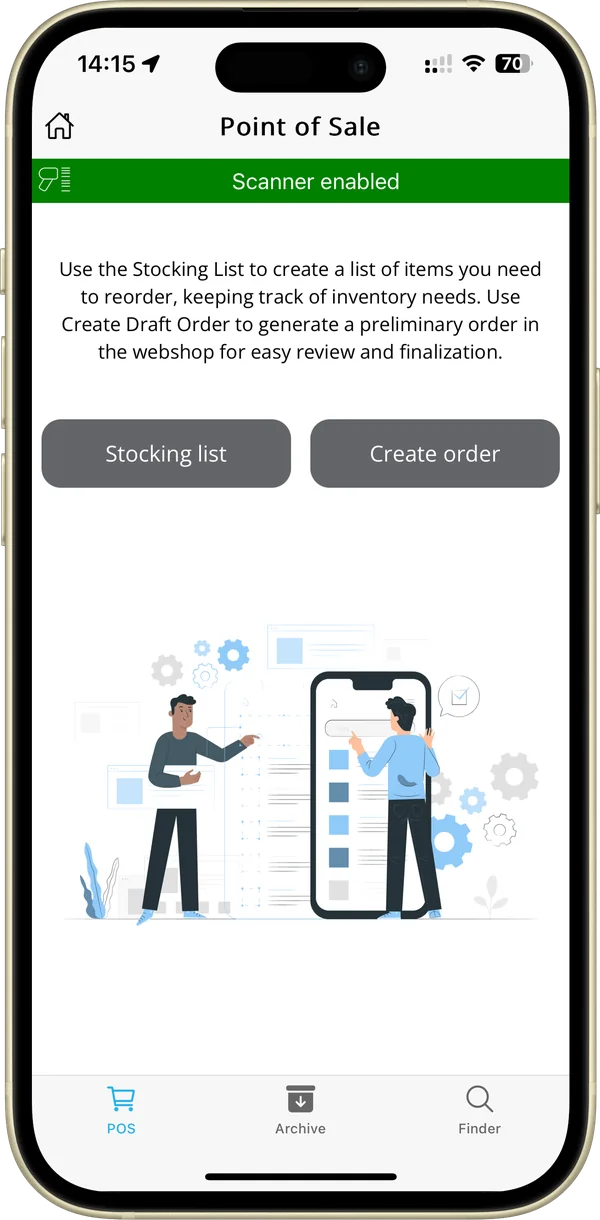
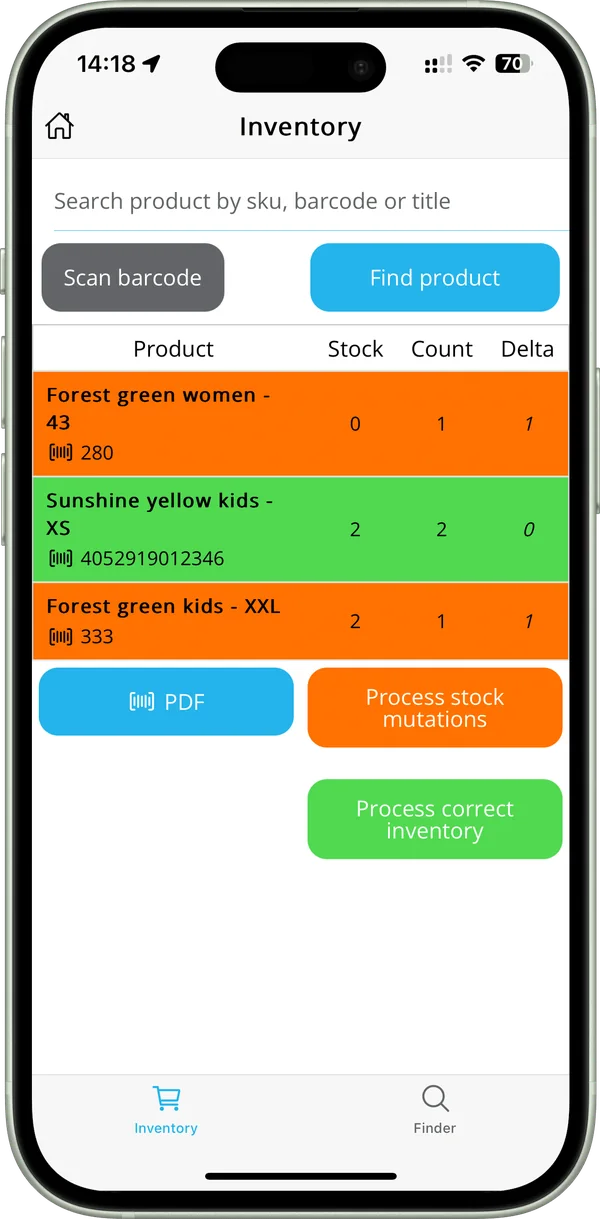
Add-ons
Combine Inventory and POS for full control over orders and stock, online and offline.
For every platform
- Inventory add-on Count stock with your phone, spot discrepancies and their value, and update your webshop stock. Read more about Inventory add-on
- POS add-on Create orders by scanning products and make PDF stocking lists, with the same app. Read more about POS add-on
- Orderpicking App WMS Manage products, locations and orders without a webshop, on WordPress & WooCommerce. Read more about Orderpicking App WMS
Free WooCommerce plugins (WordPress.org)
- Order Picking App Connects your WooCommerce store to Orderpicking App. Rated 4.5 out of 5 on WordPress.org (6 reviews). Read more about Order Picking App
- Product location for WooCommerce Give every product or variation a warehouse location and set your walking order. Read more about Product location for WooCommerce
- Weight products for WooCommerce Sell products by weight: customers order an estimated amount and the order updates to the actual weighed amount. Works alone or with Order Picking App. Read more about Weight products for WooCommerce
A closer look at each add-on
Real screens from the app and the WMS backend.
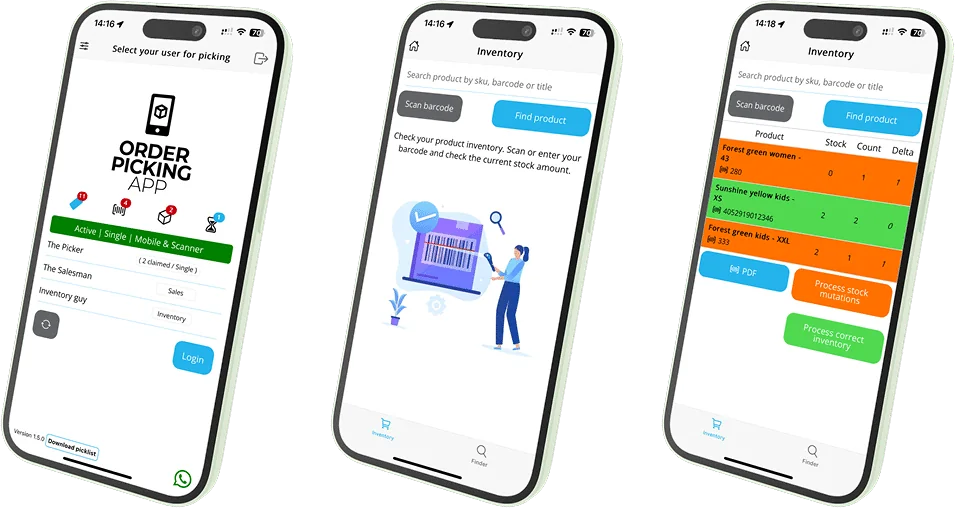
Inventory
Count stock and see the difference straight away
Every scan adds one to the count. Orange shows a difference with the stock, green means the stock is correct.
- Camera or Bluetooth scanner
- Export the count as a PDF
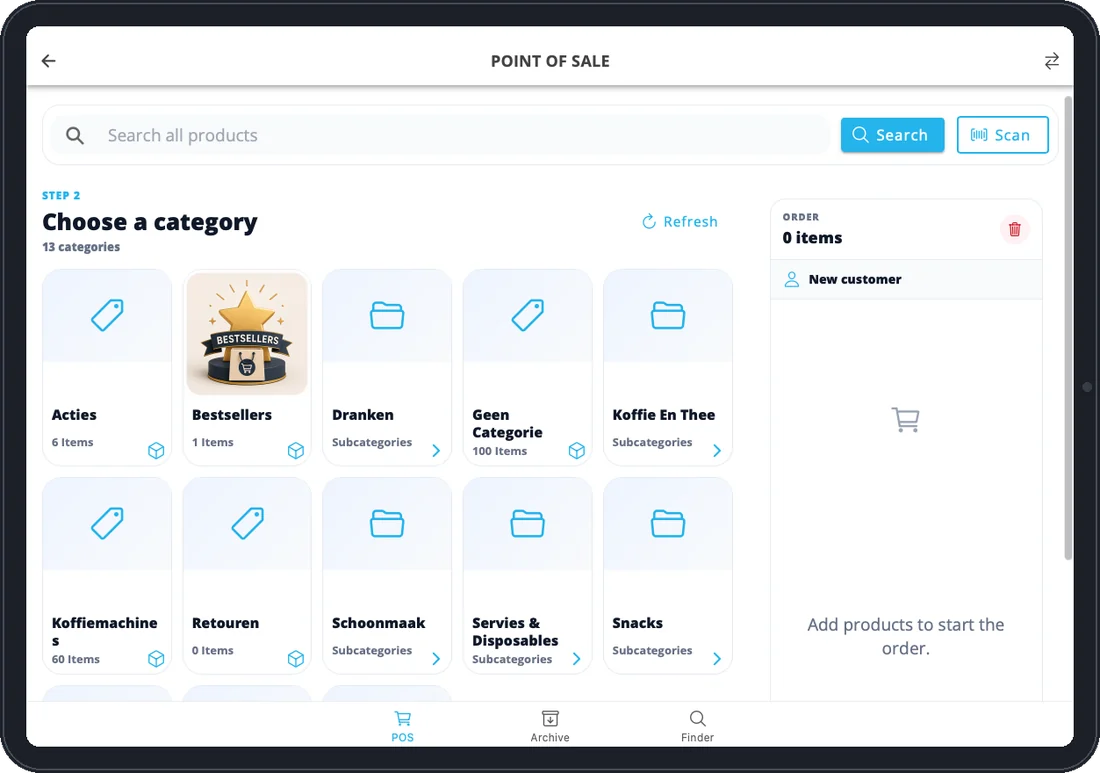
POS
Sell at the counter from your webshop categories
Your webshop categories appear on the tablet. Search, scan or pick a category to build the order.
- Your own webshop categories
- Search or scan products
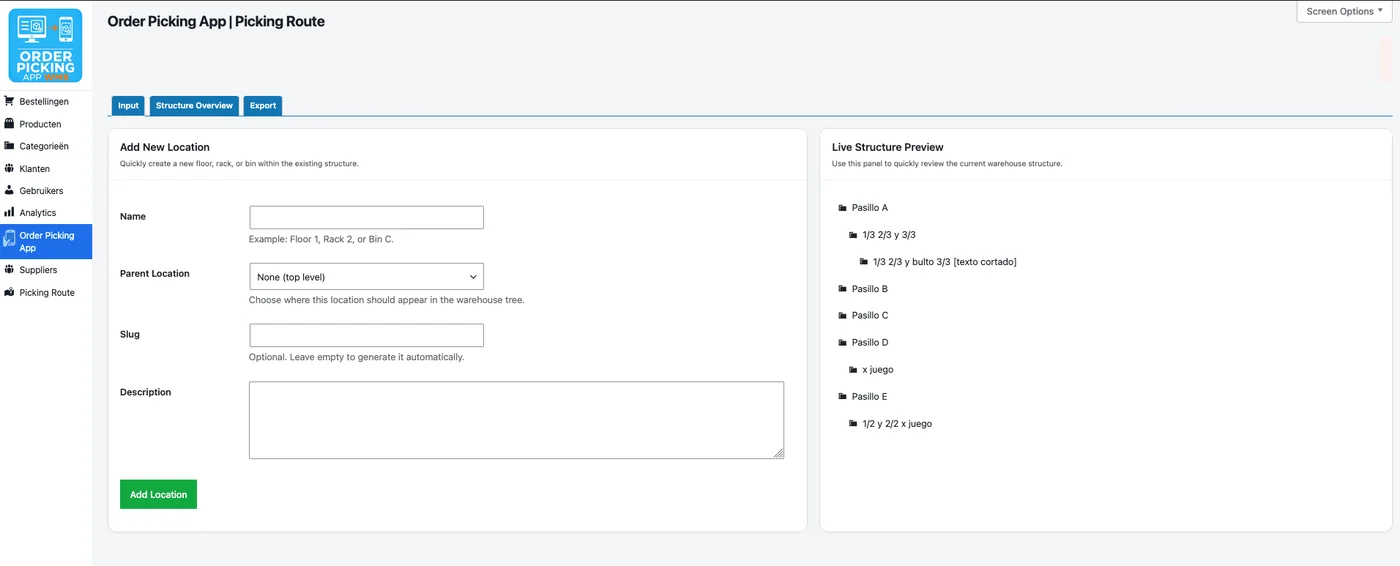
WMS
A warehouse structure that matches your own
Build your storage locations, aisles, racks and bins in the WMS backend, without a webshop.
- Aisles, racks and bins
- No webshop needed
See the add-ons in action
Short tutorials, under two minutes each.
-
1:44
Stock counts (add-on)
Scan your shelves and see straight away where stock differs.
-
1:36
Sell at the counter (POS add-on)
Create a sales user, select a customer and build orders by scanning products.
Questions about add-ons
Not sure which you need?
Book a free demo and see the add-ons with your own products.
Which platforms do the add-ons work with?
The Inventory and POS add-ons work with every platform. Ask us how they work for yours.
Can I try them first?
Yes. The 30-day trial runs on Medium + Inventory + POS, so both add-ons are included.
What does the combination cost?
Small + Inventory + POS starts at €74.95 a month (up to 300 orders a month).
Ready for more control over orders and stock?
Start your free trial, or book a demo and see the add-ons in practice.