POS add-on
Create orders and stocking lists by scanning products
Sell at the counter or prepare a restock: scan the products, pick the customer and the order is ready, working with your stock.
- Create orders by scanning
- PDF stocking lists from scanned products
- Works with your inventory
The 30-day trial includes the POS add-on · Ends automatically
-

 Android and iOS
- Scan with the camera or a Bluetooth scanner
- Draft order in your webshop
One app for picking and selling
For retail shops, warehouses and B2B sales: create orders and stocking lists with the app you already use.
Orders by scanning
Scan the products, choose or add a customer and create the order.
PDF stocking lists
Scan what needs reordering and share the list as a PDF with your team or supplier.
Stock stays right
Orders work with your inventory, so your stock levels stay up to date.
From scan to order
Screens from the POS add-on, and where it is used.
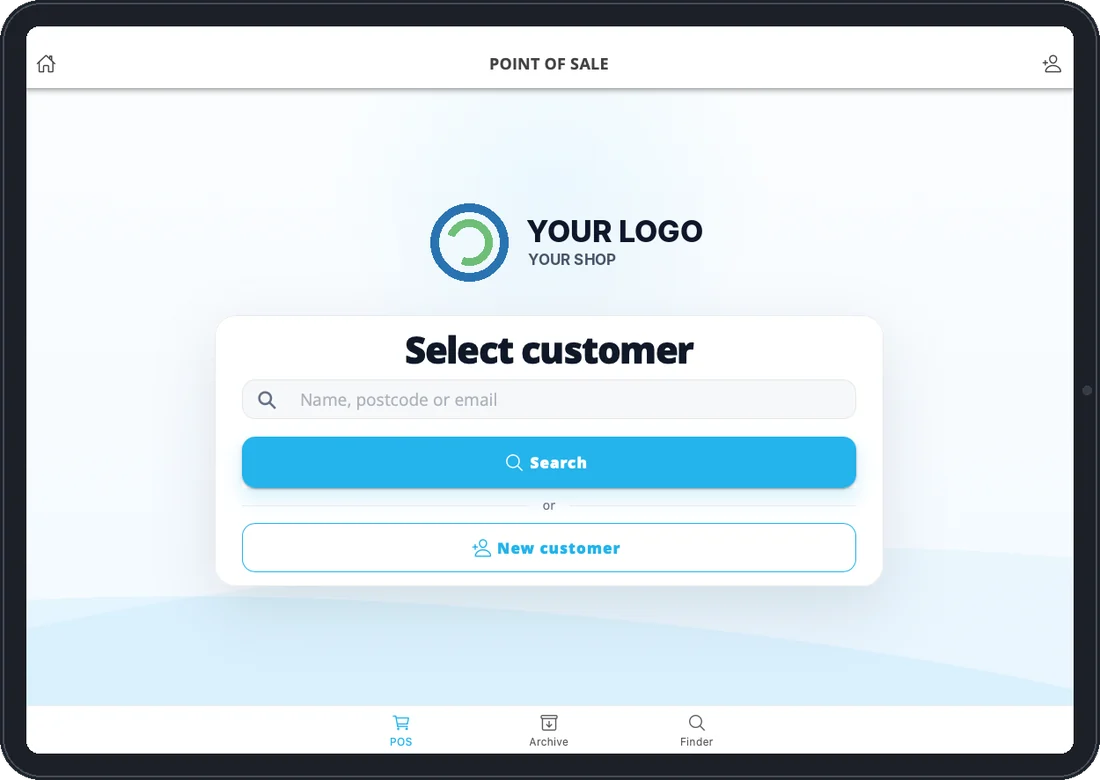
Customer
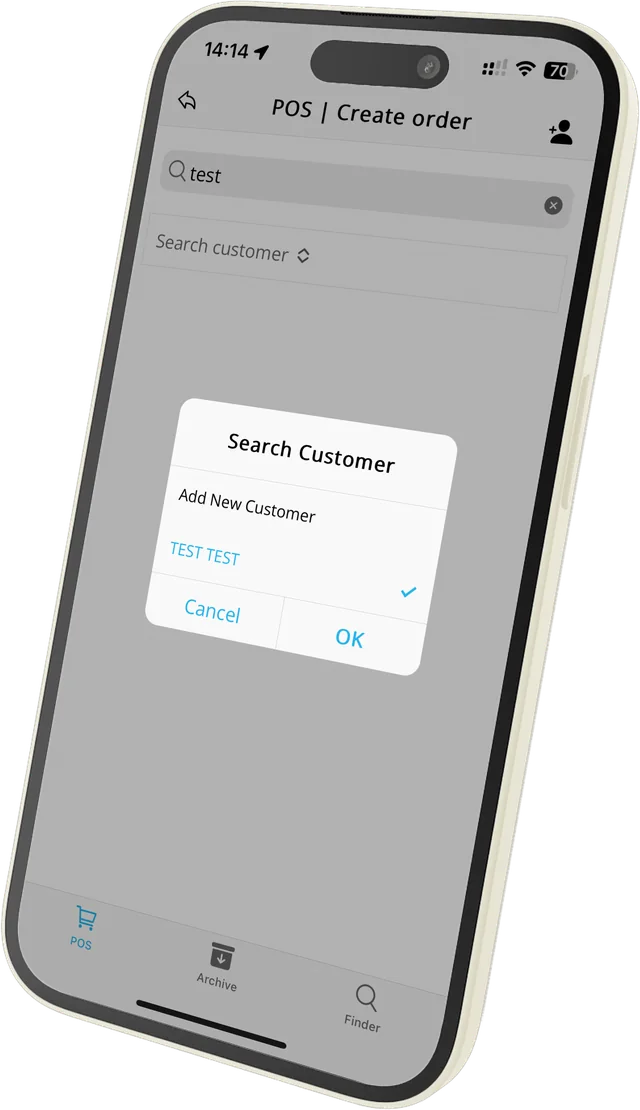
Choose or add a customer
Search by name, postcode or email, or add a new customer on the spot. Your own logo is shown at the top.
- Search existing customers
- Add a new customer

At the counter
Your tablet becomes the till
For retail shops, warehouses and B2B sales: take an order at the counter with the same app your team already uses for picking.
- Works on a tablet or phone
- Same app as picking
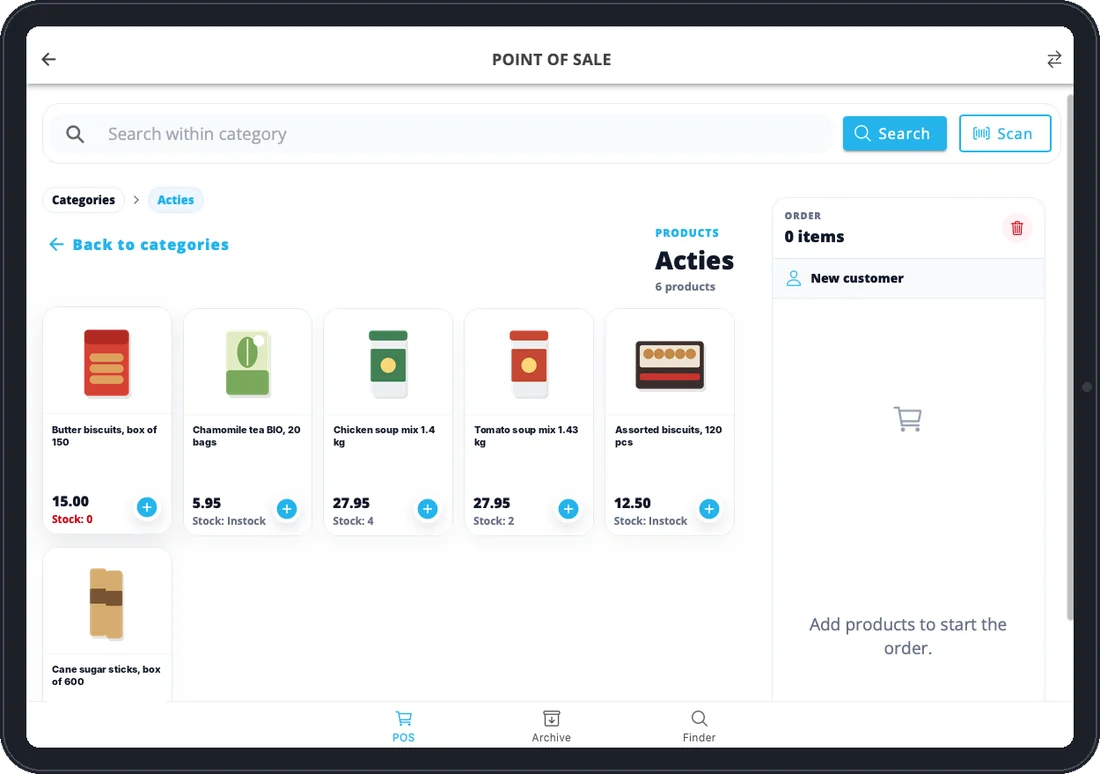
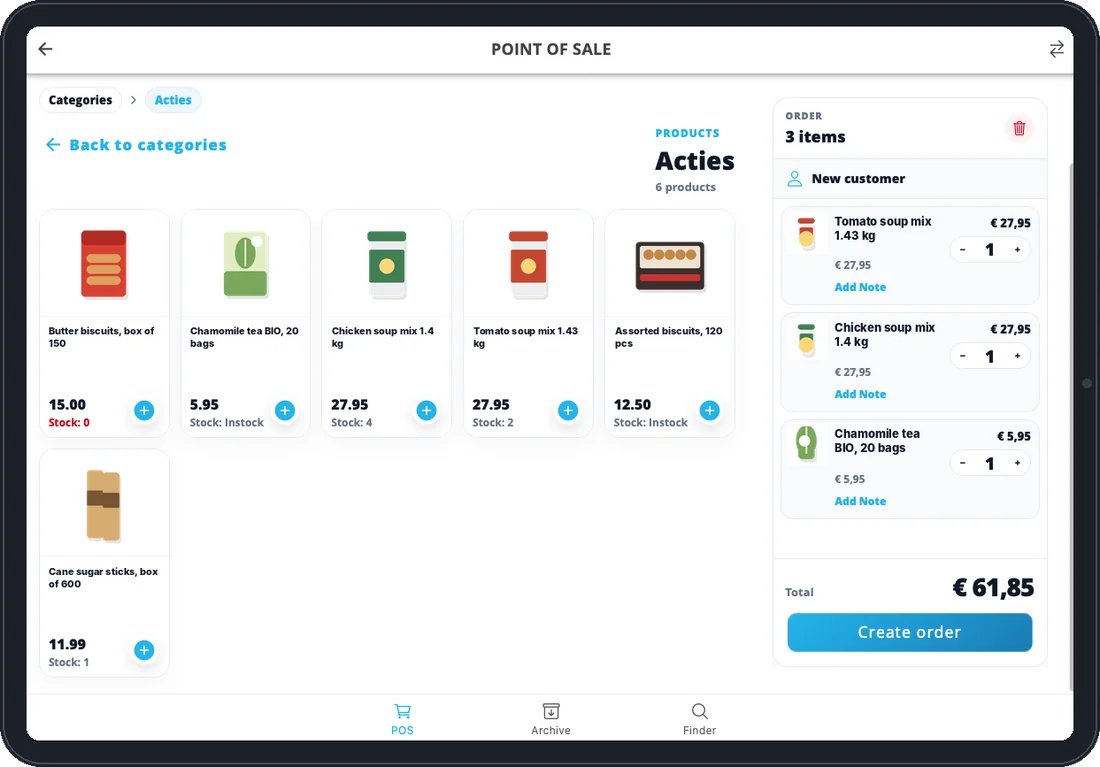
Products
Browse your categories or scan
Your webshop categories and products appear in the app, with price and stock on every product. Tap + or scan the barcode, and the order total updates as you go.
- Your own webshop categories
- Price and stock per product
- Camera or Bluetooth scanner

Order
Create the order
Add the customer details and confirm. A draft order is created in your webshop for review and finalisation.
- Company, name, email and notes
- Draft order in your webshop
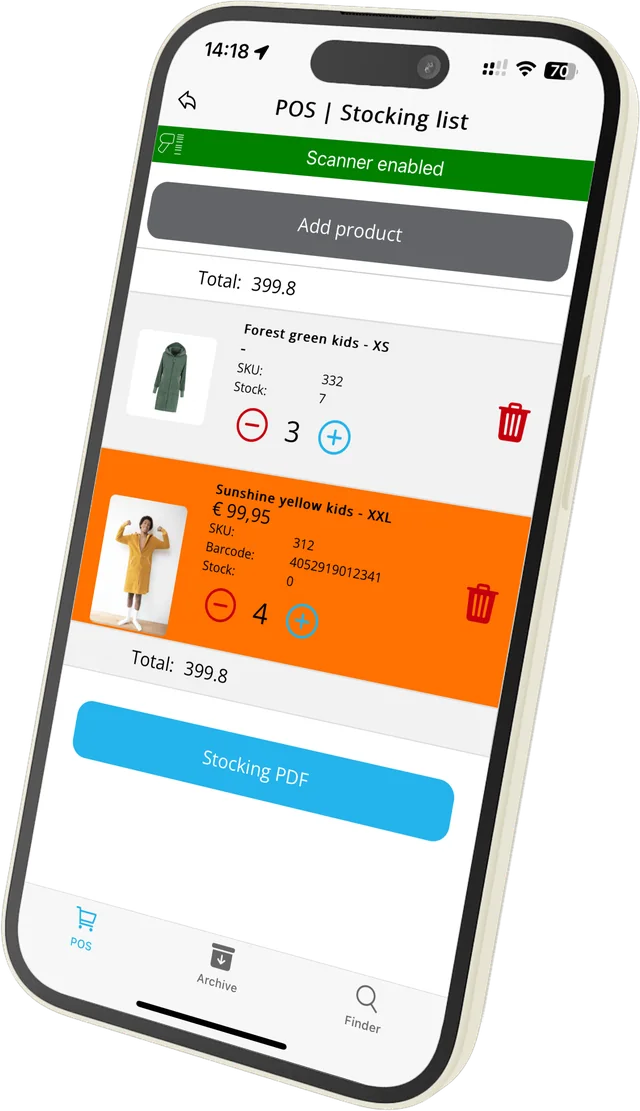
Stocking list
Make a stocking list
Scan the items you need to reorder and create a PDF stocking list to keep track of inventory needs.
- Scan to add items
- Download as PDF
Watch the POS tutorial
All steps in under two minutes.
-
1:36
Sell at the counter (POS add-on)
Create a sales user, select a customer and build orders by scanning products.
- How you start
- Add a user with the type Sales under Settings › Users. The user appears in the app right away.
- What it creates
- Draft orders in your webshop and PDF stocking lists.
- Price per month
- Small + POS €54.95 · Medium + POS €59.95 · Large + POS €79.95 · Extra Large + POS €109.95 · Jumbo + POS €349.95.
- With Inventory as well
- Small + Inventory + POS from €74.95 a month.
- Trial
- The 30-day trial (Medium + Inventory + POS) includes the POS add-on.
Try the POS add-on free for 30 days
It’s included in the trial. The trial ends on its own, so you’re not tied to anything.
Questions about the POS add-on
Can’t find your question? We’re happy to help.
Still have a question?
Email our support team or ask for a demo with your own products.
Where does a POS order end up?
As a draft order in your webshop, so you can review and finalise it.
What is a stocking list?
A list of scanned products you need to reorder, saved as a PDF to share with your team or supplier.
What does it cost?
The POS add-on is part of a plan, from €54.95 a month (Small + POS, up to 300 orders a month).
Can I try it first?
Yes. The 30-day trial includes the POS and Inventory add-ons and ends on its own.
Ready to sell and restock faster?
Start your free trial; the POS add-on is included.