 WMS without a webshop
Run your warehouse like a webshop, without needing one
Orderpicking App WMS gives B2B companies a simple way to manage products, stock and orders, built on WordPress & WooCommerce. No online store, no spreadsheets, no custom feed.
- Products, stock and locations in one place
- Create orders in the backend or by scanning
- Same picking app as our webshop customers
From €19.95 a month · See your own products, locations and orders before you decide
- No webshop required
- Built on WordPress & WooCommerce
- From €19.95 a month
You shouldn’t need an online store to run an organised warehouse
Without a webshop, getting orders into a picking app means exporting spreadsheets or building a JSON feed. It works, but it’s slow and usually needs a developer.
Set up products once
Image, title, SKU/EAN/GTIN, location and stock. Add box barcodes and quantities if you need them.
Orders your way
Create orders in the WMS backend, or scan barcodes with the Orderpicking App POS.
Stock that updates itself
Stock counts down with every order; restock in the WMS or with the Inventory add-on.
Inside Orderpicking App WMS
Screens from the WMS backend, and the work behind them.

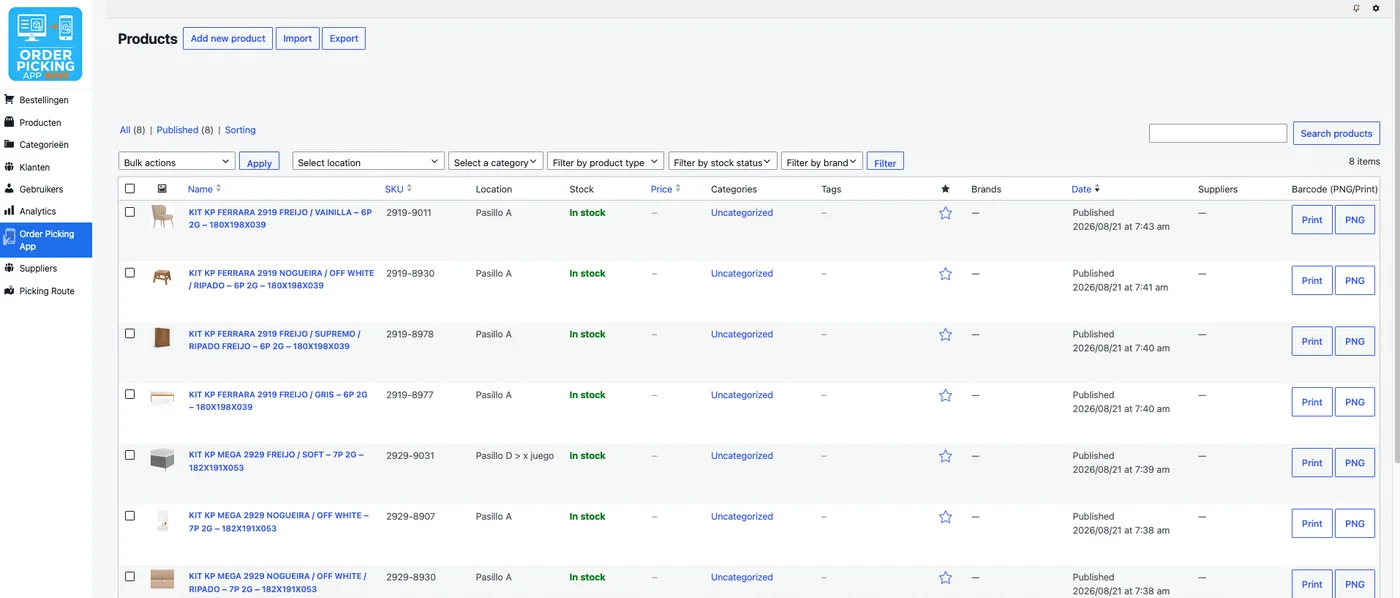
Products
Every product, one clear overview
Image, name, SKU, storage location and live stock status, entered once and visible for every order. Filter by location, category or stock status.
- Filter by location, category or stock
- Box barcodes and quantities
Orders
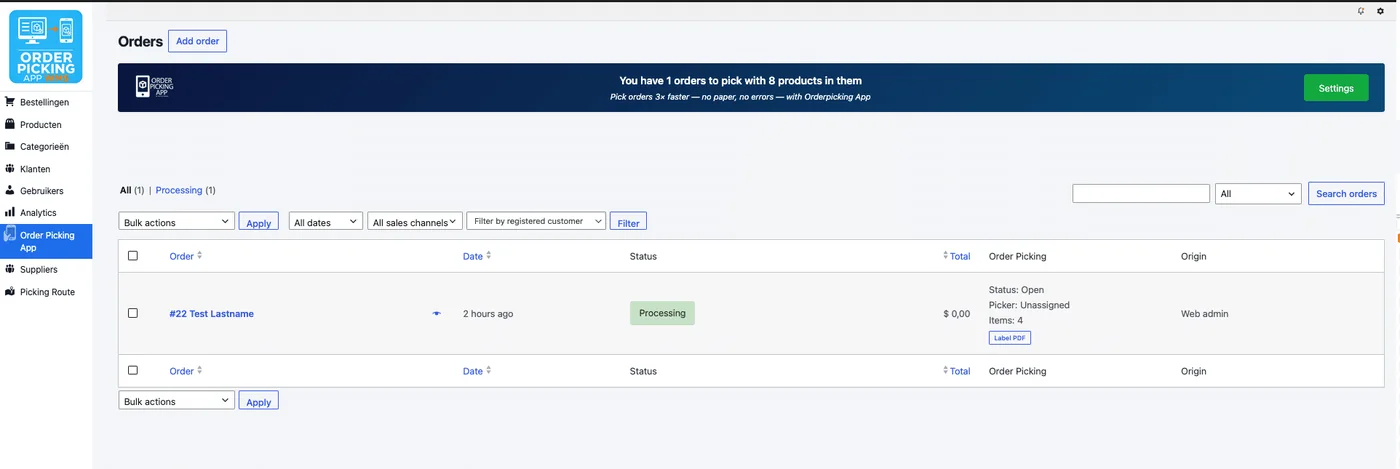
Full order visibility, start to finish
Every order keeps its status through picking and packing, with the picking and packing data logged underneath it.
- Status per order
- Picking and packing statistics

POS
Create orders by scanning
With the Orderpicking App POS you scan product barcodes to build an order, ready for picking.
- Scan or add products
- Order ready for picking
Locations
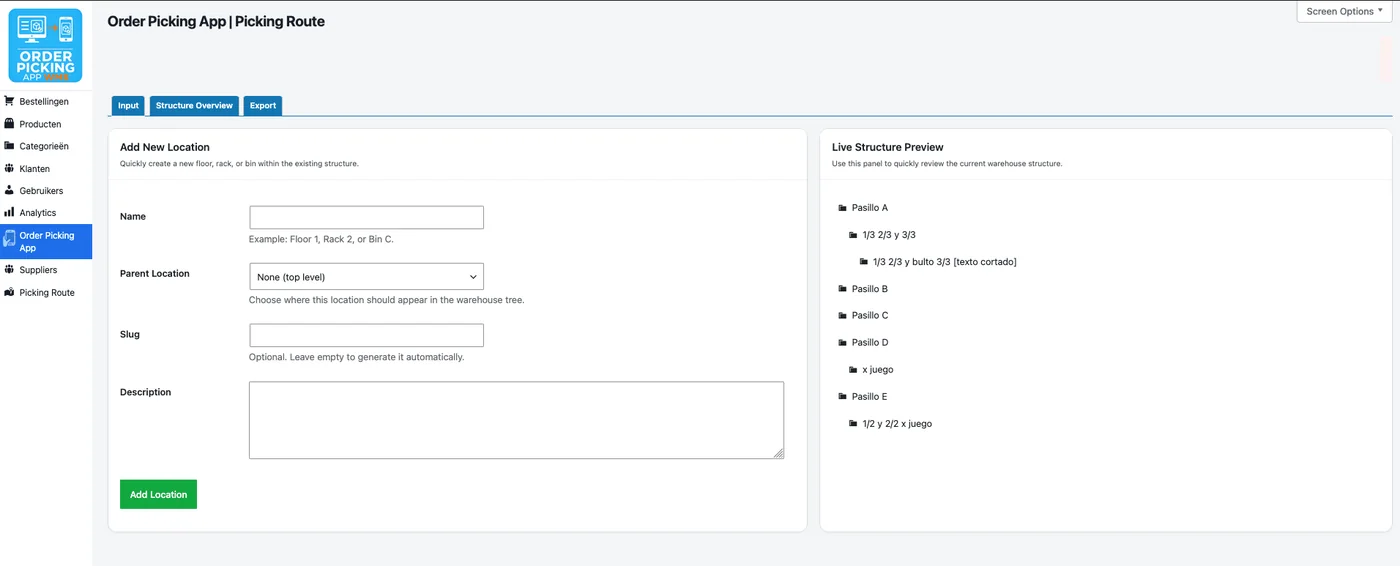
A warehouse structure that matches your own
Build your storage locations, aisles, racks and bins, exactly as they are on your floor, and see the live structure while you add new ones.
- Aisles, racks and bins
- Live structure overview
Orderpicking App WMS at a glance
What you get, what you need and what it costs.
Checked: October 2026
- For whom
- B2B companies, distributors and wholesalers that manage orders and stock without an online store.
- Built on
- WordPress & WooCommerce, set up for you.
- What you need
- Your product data: images, titles, SKU/EAN/GTIN, locations and current stock. We help you enter the first batch.
- Creating orders
- In the WMS backend, or by scanning barcodes with the Orderpicking App POS.
- Restocking
- In the WMS, or with the Orderpicking App Inventory add-on.
- Price
- From €19.95 a month.
See it with your own products
In a demo we show the WMS with your own products, locations and orders, before you decide anything.
No credit card needed to talk to us
Questions about Orderpicking App WMS
Can’t find your question? We’re happy to help.
Still have a question?
Email our support team or ask for a demo with your own products.
Do I need a webshop to use this?
No. That’s exactly what Orderpicking App WMS is built for: companies that manage orders and stock without running an online store.
Do I still need Excel uploads or a JSON feed?
No. Products and orders are entered directly in the WMS, through the backend or the POS.
Can I create orders by scanning barcodes?
Yes. The Orderpicking App POS lets you scan product barcodes to build an order, in addition to creating orders in the WMS backend.
How do I keep stock levels accurate?
Stock counts down with every order. Add new stock in the WMS or with the Inventory add-on when shipments come in.
What do I need to get started?
A WordPress & WooCommerce setup we make for you, and your product data. We help you enter the first batch and show you around.
Ready to trade paper and spreadsheets for one clear overview?
Ask for a demo with your own products, locations and orders.