 Case · Horticulture
How VLM Hydrocultuur picks plants faster and with fewer errors
VLM Hydrocultuur supplies hydroponic plants, accessories and planters to the professional green industry, from its nursery in Made and across Europe. They replaced paper pick lists with Orderpicking App on their WooCommerce webshop.
- Picking errors from 5% to under 2%
- About 20 minutes faster per order
- Live within two weeks
Results from the first three months after go-live
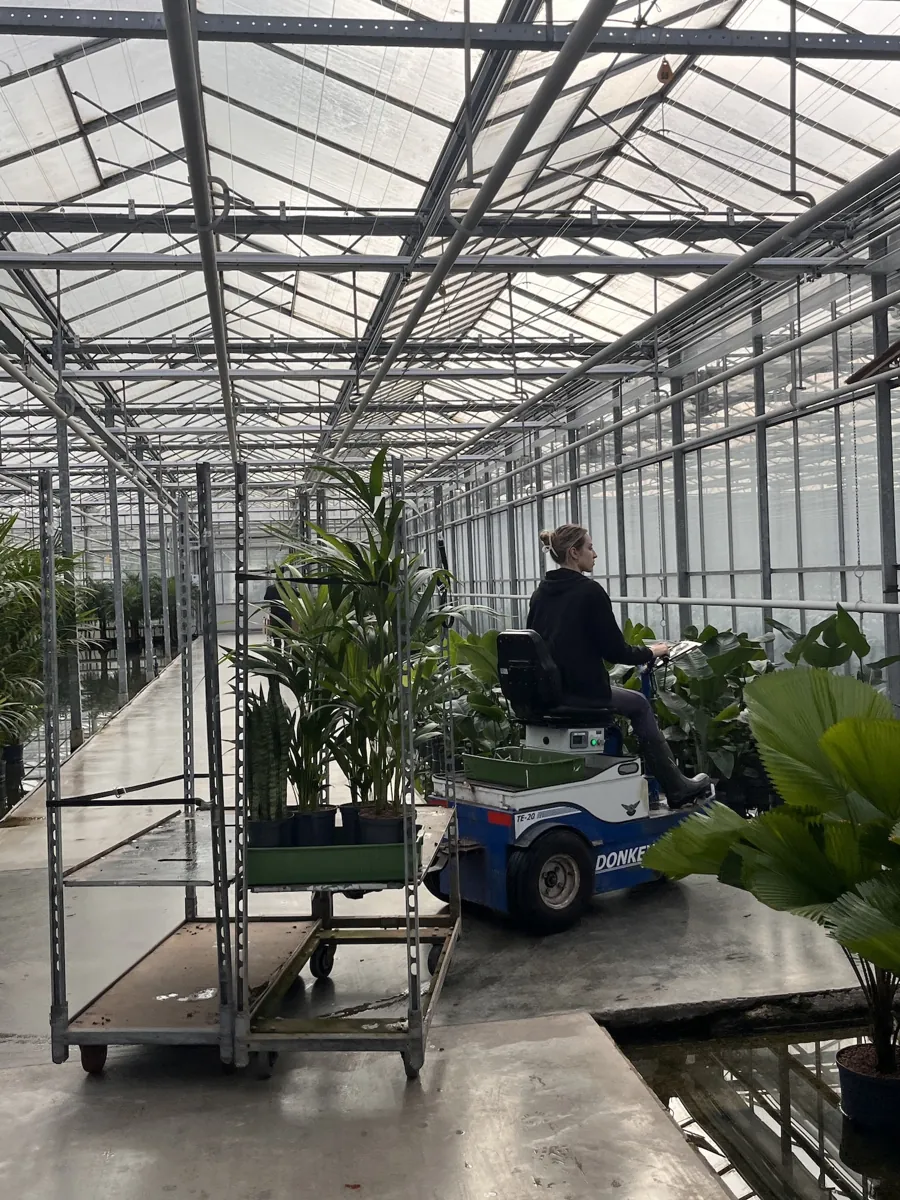
- VLM Hydrocultuur, Made (NL)
-
 WooCommerce webshop
- Delivers daily throughout Europe
Watch: Order Picking App in the greenhouse
A one-minute film on how the app works for horticultural businesses.
-
1:11
How Order Picking App works for horticulture
From order to greenhouse: pick with a fixed route, a photo and a check for every plant.
The challenge: paper pick lists in a growing plant business
VLM processes many orders a day through its WordPress/WooCommerce webshop. Picking ran on printed lists, and that showed as the volume grew.
Wrong items and quantities
Similar plants and planters stored close together led to picking errors, returns and extra shipping costs.
No real-time stock
Paper lists didn’t update stock, so the webshop sometimes sold items that were no longer there.
Time lost on the floor
Staff cross-checked orders against locations by hand, and walking routes were inefficient.
Results in the first three months
As reported in the VLM Hydrocultuur case.
- 5% → <2% Picking errors Barcode scanning cut picking mistakes and return shipments.
- ≈20 min Faster per order Fixed routes and digital pick lists shortened fulfilment time.
- 98% On-time deliveries With positive customer feedback and repeat orders.
- ≈€7,000 Saved per month Fewer labour hours and fewer returns.
Figures from the VLM Hydrocultuur case on orderpickingapp.com; results differ per business.
How plants are picked now
Real screens from the app, with plant data.
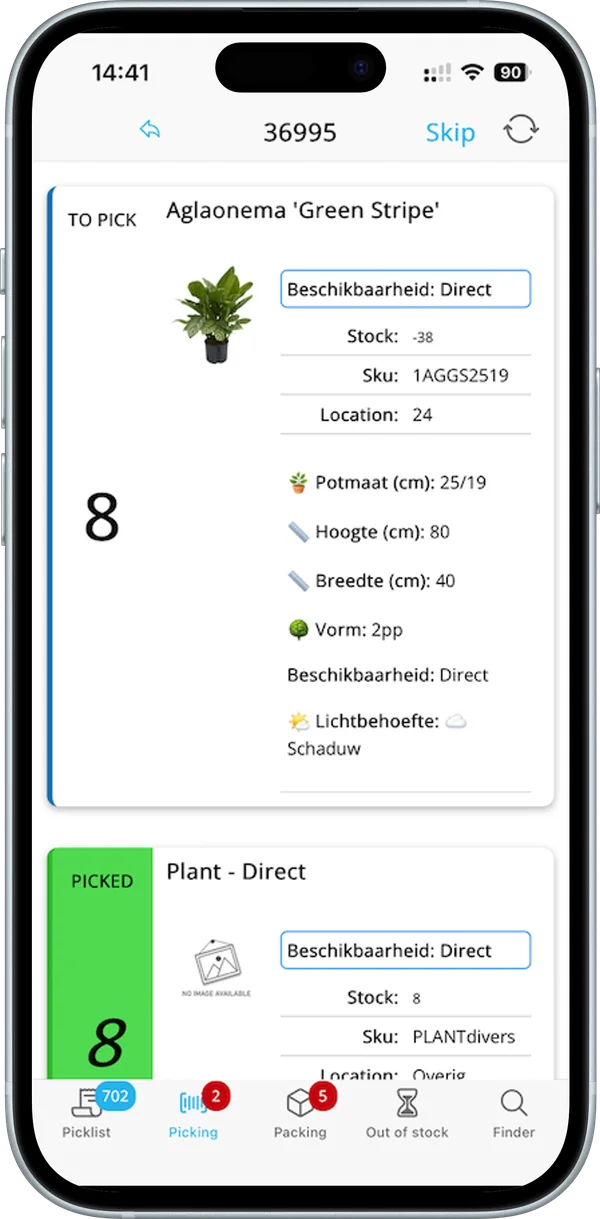 Pot size, height, light needs
Pick list
Every plant with its details on screen
Pickers see the photo, stock, SKU and location of each plant, with your own product attributes such as pot size, height, width, shape and light needs.
- Product attributes from your webshop
- Photo and location per plant
- Barcode check per item
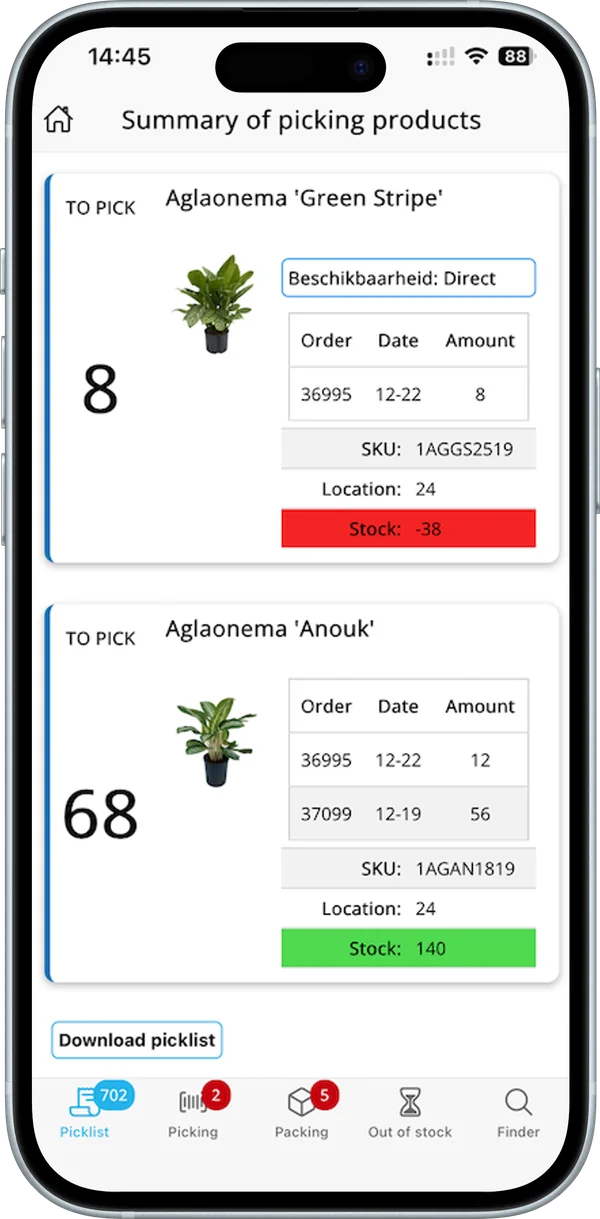 Stock at a glance
Pick summary
One walk for all open orders
The summary adds up every plant across your open orders, with the location and the stock in green or red.
- Totals per plant across orders
- Stock shortages in red
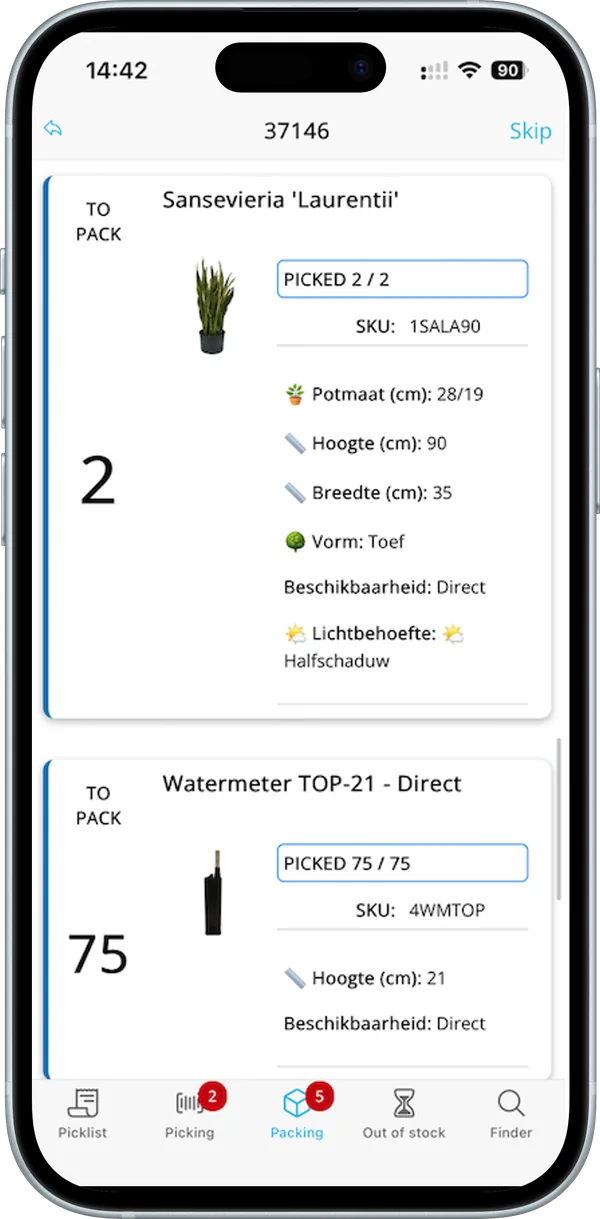 Picked 2 / 2
Packing
A last check before it ships
At packing, every plant shows how many were picked and what goes in the box, so nothing is missed.
- Picked and to pack per plant
- Product attributes at packing too
Live within two weeks
How the implementation at VLM Hydrocultuur went.
-
Connect WooCommerce
The WooCommerce webshop was connected to Orderpicking App.
-
Set up the warehouse
Products were labelled with barcodes and the shelving was mapped in the app.
-
Train the team
Two half-day sessions were enough for the warehouse staff to work with the scanners and the app.
-
Go live
Live within two weeks, with support available during the transition.
Also selling plants online?
See how it works with your own products in a demo, or try the app free for 30 days.
Works with WooCommerce, Shopify, BigCommerce and more
Questions from horticultural businesses
Can’t find your question? We’re happy to help.
Want to talk it through?
Email us and we show you the app with your own plants and locations.
Can pickers see pot size, height and light needs?
Yes. Product attributes from your webshop, such as pot size, height, width, shape and light needs, appear on the pick and packing screens.
Do we need barcode scanners?
No. The phone camera works fine; a Bluetooth scanner or a Zebra device works too.
How are plant variants shown?
Variants and bundles appear as separate products on the pick list.
Is stock updated in the webshop?
Yes. New orders come in instantly, the order status is written back, and with the Inventory add-on you update stock in your webshop.
Ready to pick plants faster?
Schedule a demo with your own products, or start your free trial today.