Inventory add-on
Count your stock with your phone and keep your webshop right
Count stock, spot discrepancies and what they cost, and update the stock in your webshop, with the same app your team already uses for picking.
- Count and correct stock in real time
- See when a product was last counted
- Spot discrepancies and their value
The 30-day trial includes the Inventory add-on · Ends automatically
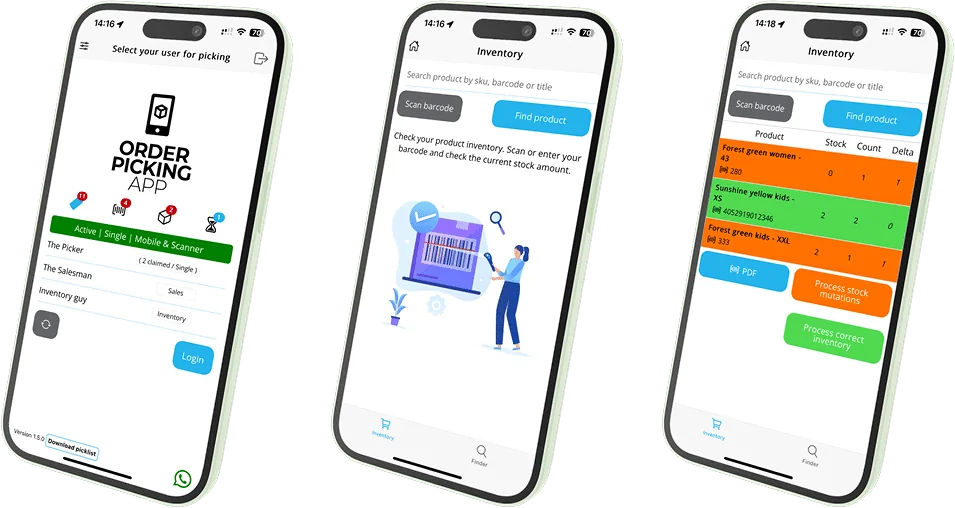
-

 Android and iOS
- Available for every platform
- Bluetooth scanner optional
Everything you need to keep stock right
Stock that doesn’t match leads to overselling and disappointed customers. The Inventory add-on lets you count and correct it while you walk the floor.
Count and correct
Count your current stock with the app and make corrections straight away.
Product history
See when each product was last counted, so you know where to check first.
Discrepancies and their value
The app flags products with the wrong stock and shows the financial impact of each change.
How counting works
Steps from the Inventory tutorial video.

Step 1
Create an inventory user
In Settings › Users, add a user with the type Inventory. The user appears in the app right away.
- No separate app needed
- Your pickers keep their own login
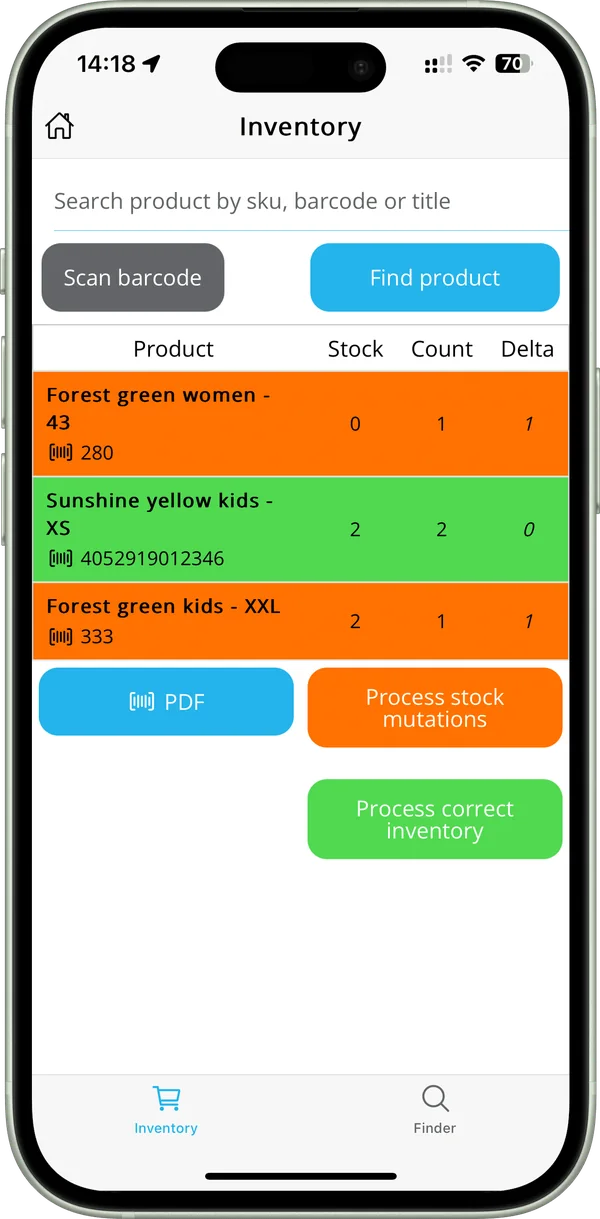
 Green = stock is correct
Step 2
Scan and compare
Every scan adds one to the count. Orange shows a difference with the stock, green means the stock is correct, and Delta shows the difference per product.
- Scan with the camera or a Bluetooth scanner
- Search by SKU, barcode or title
- Export the count as a PDF

Step 3
Process the changes
Process stock mutations and correct inventory in one go, and book new stock in. Your webshop stock is updated, so it always shows what you really have.
- Process stock mutations
- Process the correct inventory
- Book in new stock
Watch the Inventory tutorial
All steps in under two minutes.
-
1:44
Stock counts (add-on)
Scan your shelves and see straight away where stock differs.
The Inventory add-on at a glance
Where it works and what it costs.
Checked: October 2026 · Plans & pricing
- Available for
- Every platform Order Picking App connects with. Ask us how it works for yours.
- How you start
- Add a user with the type Inventory under Settings › Users.
- Price per month
- Small + Inventory €54.95 · Medium + Inventory €59.95 · Large + Inventory €79.95 · Extra Large + Inventory €109.95 · Jumbo + Inventory €349.95.
- With POS as well
- Small + Inventory + POS from €74.95 a month.
- Trial
- The 30-day trial (Medium + Inventory + POS) includes the Inventory add-on.
Try the Inventory add-on free for 30 days
It’s included in the trial. The trial ends on its own, so you’re not tied to anything.
Questions about the Inventory add-on
Can’t find your question? We’re happy to help.
Still have a question?
Email our support team or ask for a demo with your own products.
Which platforms does the Inventory add-on work with?
Every platform Order Picking App connects with. Ask us for more information about yours.
Is my webshop stock updated?
Yes. Corrections and new stock are processed in your webshop, so it shows what you really have.
What does it cost?
The Inventory add-on is part of a plan, from €54.95 a month (Small + Inventory, up to 300 orders a month).
Can I try it first?
Yes. The 30-day trial includes the Inventory and POS add-ons and ends on its own.
Ready to get your stock right?
Start your free trial; the Inventory add-on is included.