Features
Every feature for picking and packing, on the phones you already have
Single and batch picking, a pick route through your own locations, a barcode check per item and a last check at packing. Plus tools for stock, the counter and the big screen.
- Works on Android 11+ and iOS 17+
- Camera or Bluetooth scanner
- Connects with your webshop
Measured at VLM Hydrocultuur: about 20 minutes faster per order and picking errors down from 5% to under 2% (first three months). Read the case
Picking
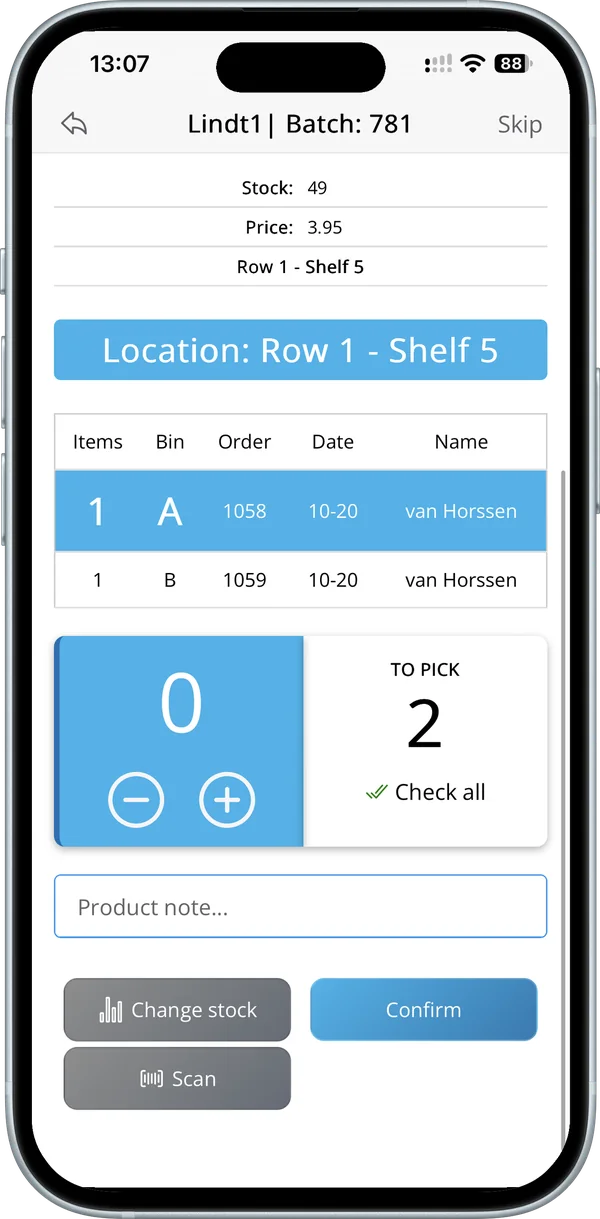
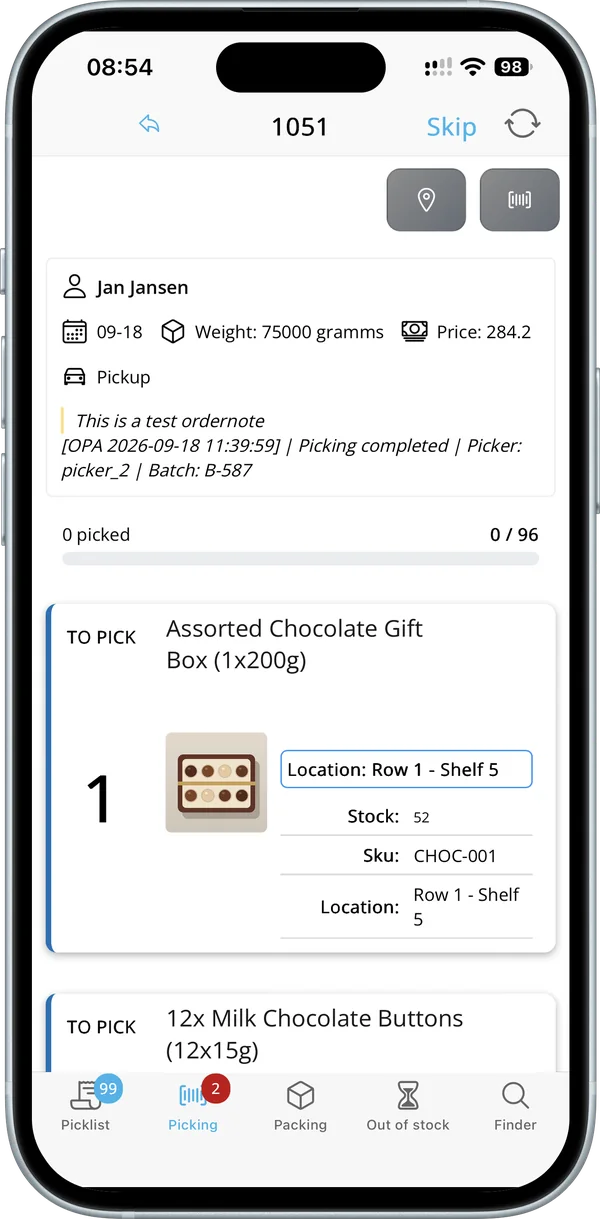
The right product, the right quantity, in the right box. Real screens from the app.
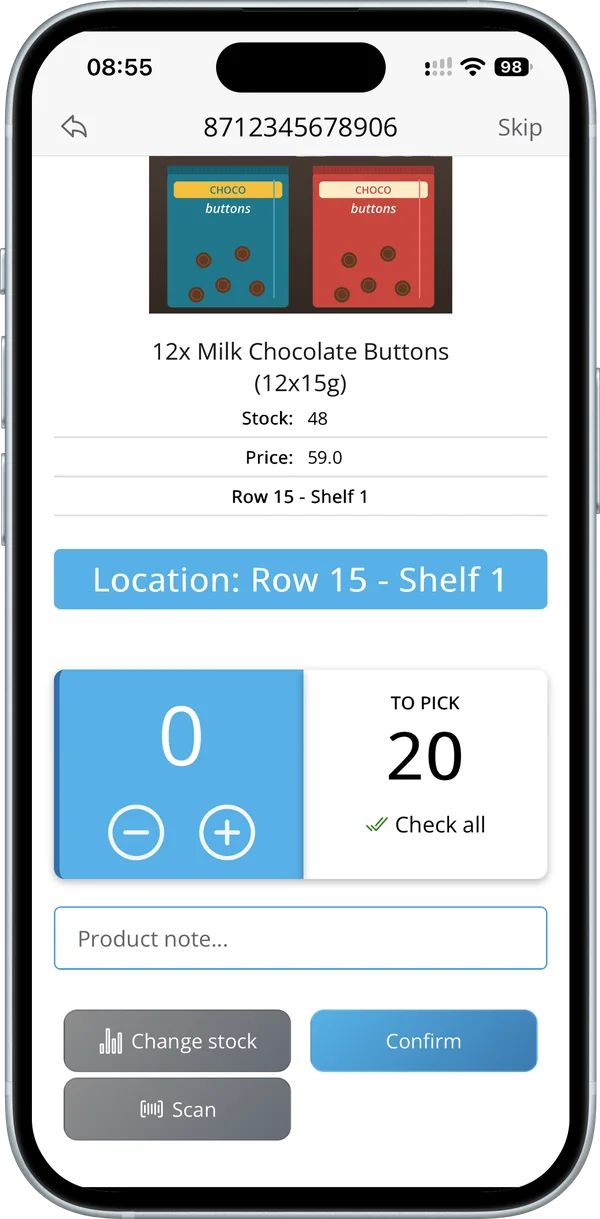 Location: Row 15 – Shelf 1
Single order picking
One order at a time, every item checked
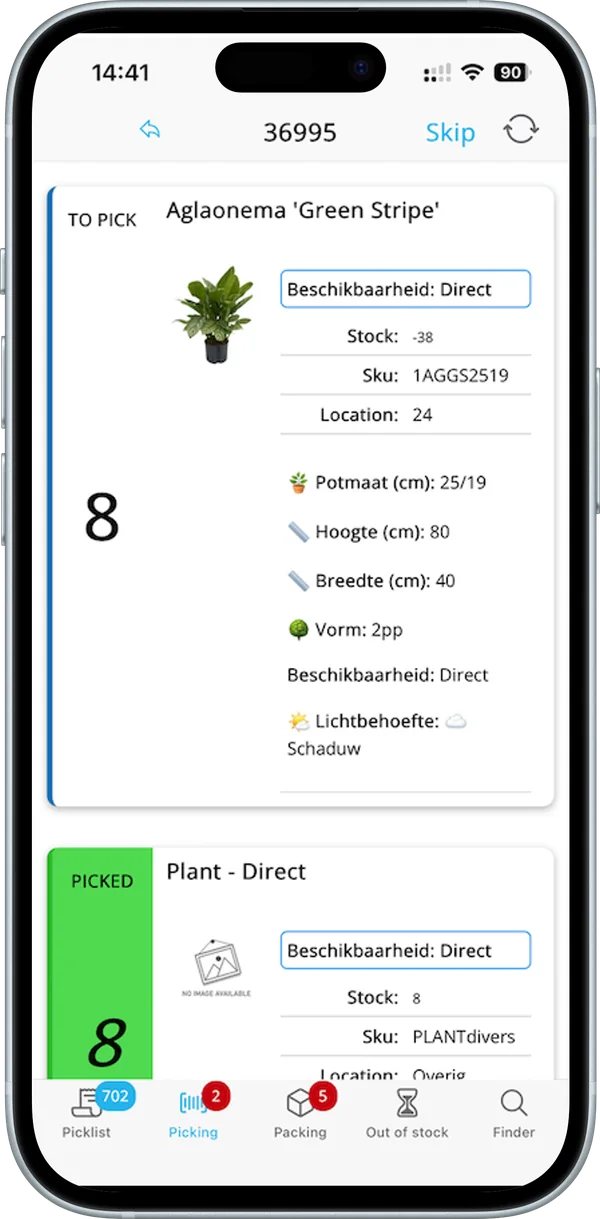
Pickers see the photo, location, quantity and stock of each product, and confirm it with a barcode scan or the plus and minus buttons.
- Photo, SKU and location per product
- Barcode check per item
- Order note on screen
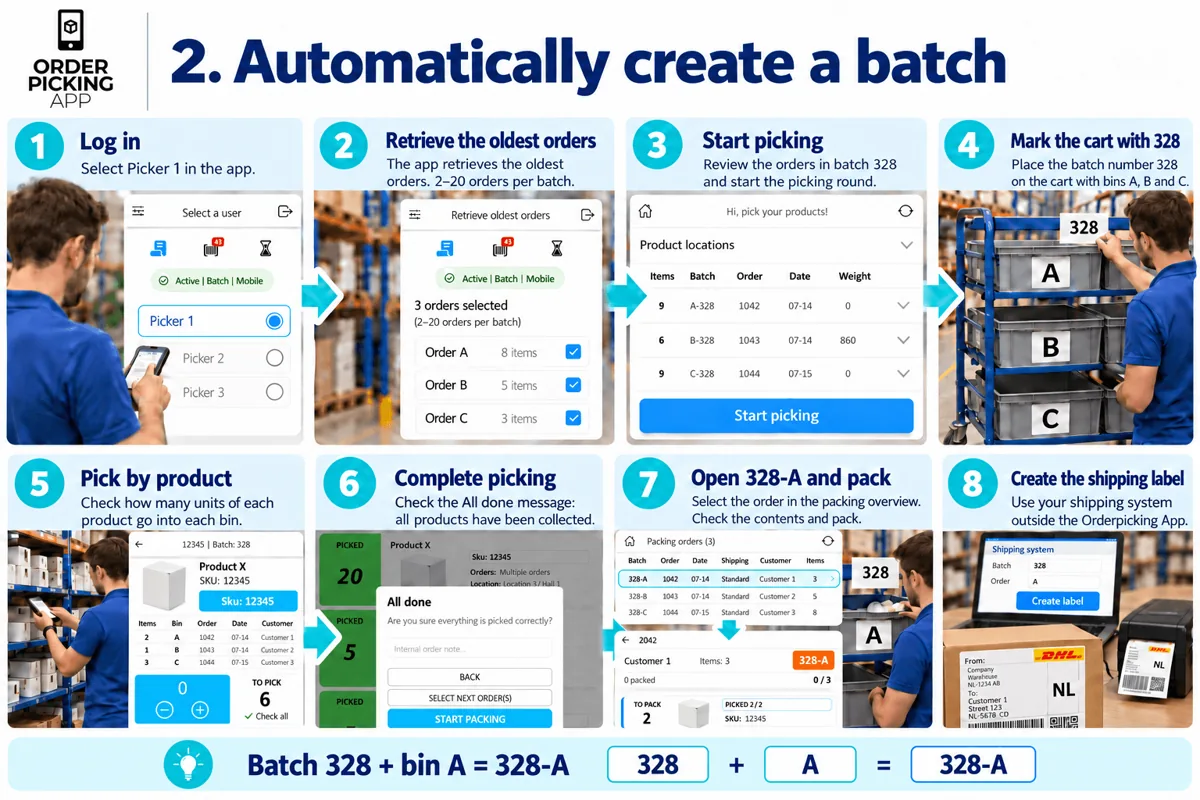 Batch 328 + bin A = 328-A
Batch picking
Several orders in one round
Pick 2 to 20 orders in one round, each in its own bin (A, B, C). The app shows per product how many go into which bin. Build a batch in four ways.
- Order labels, oldest orders, picker selects or manager assigns
- A bin per order
- Less walking back and forth
Pick route
Walk your warehouse in one go
Sort products by category, SKU, barcode or your own locations. In WooCommerce you give every product or variation a location, up to three levels deep.
- Your own walking order
- Location note per product
- Per variation in WooCommerce
Packing
A last check before the box closes, on a phone or at a PC.
 Picked 2 / 2
Packing check
See what goes in the box
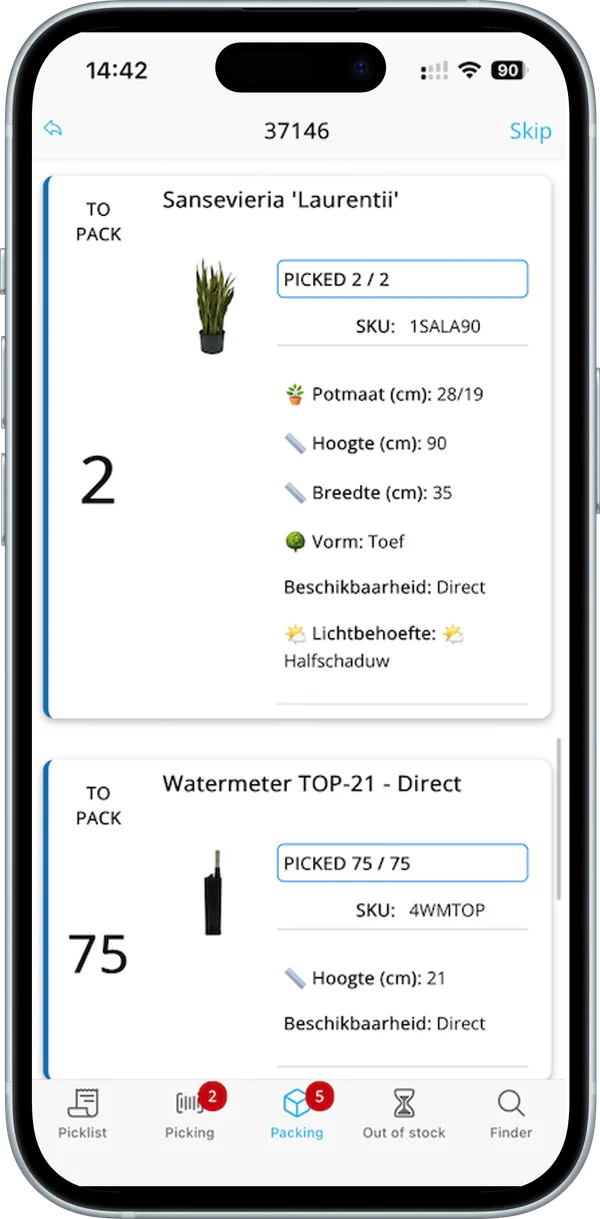
At packing, every product shows how many were picked and what still needs to go in, so nothing is missed.
- Picked and to pack per product
- Order status back to your webshop
Desktop packing
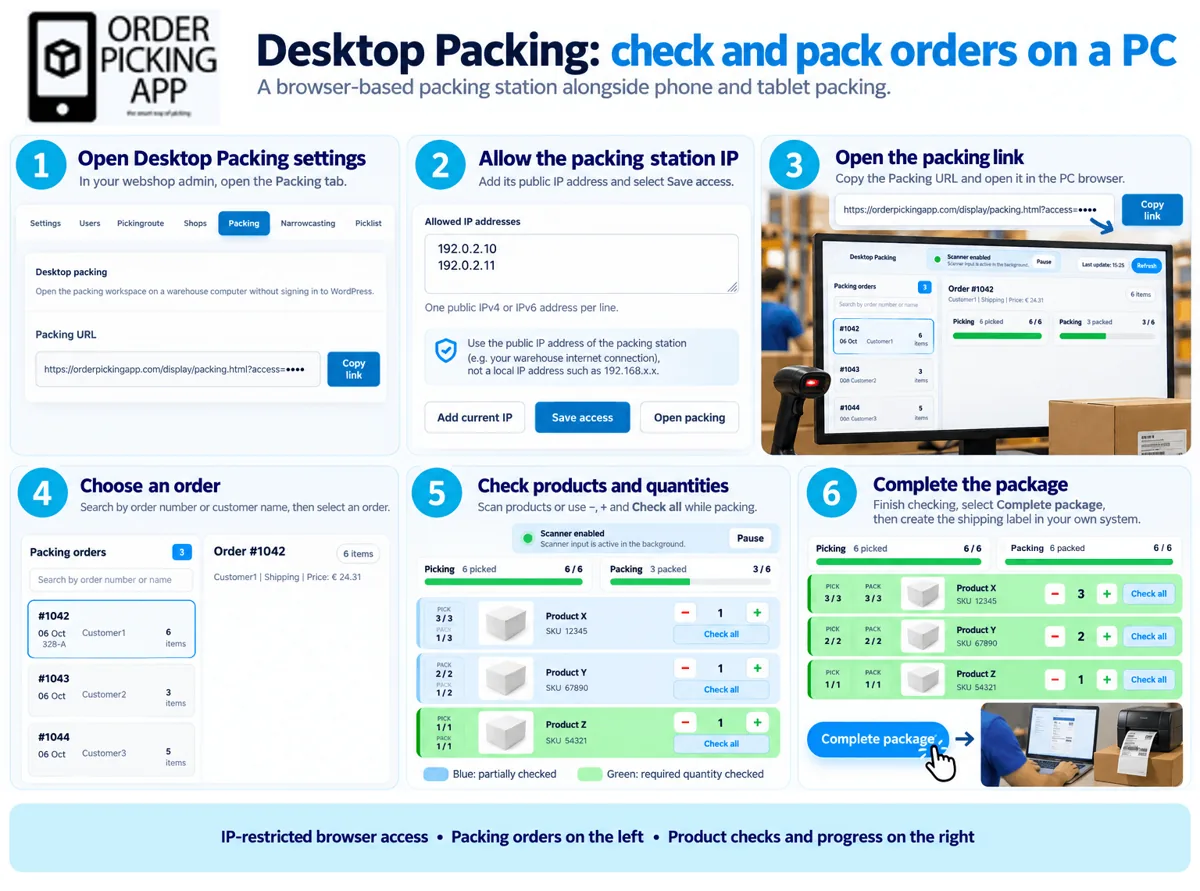
Turn any PC into a packing station
Find the order, check every product and quantity in the browser and complete the package.
- Works in the browser
- Check per product and quantity
All features
Every feature links to a step-by-step guide or its own page.
Picking
- Single order picking Guide your team through one order at a time: select an order, collect and confirm the products, then check and complete it at packing. Read more about Single order picking
- Batch picking: four ways Pick several orders in one round with a bin per order. Four ways to build a batch: order labels, oldest orders, picker selects or manager assigns. Read more about Batch picking: four ways
- Batch from your oldest orders Let the app group your oldest orders into the next batch automatically, based on your batch size, so pickers can start right away. Read more about Batch from your oldest orders
- Batch picking with order labels Print an order label for each bin and scan it to add the order to your batch. The label stays with the order through picking and packing. Read more about Batch picking with order labels
- Picking route for WooCommerce Give every WooCommerce product or variation its own location, set your walking order and let the app sort every pick list by route. Read more about Picking route for WooCommerce
Packing
- Desktop packing Turn your warehouse PC into a packing station: find an order, check every product and quantity in the browser and complete the package. Read more about Desktop packing
- Order label PDF Create a PDF label per order with your logo, the customer name, an order barcode and order details, to identify orders while picking and packing. Read more about Order label PDF
Stock and sales
- Picklist See the total quantity of every product across all open orders, compare it with your stock and filter by location or date. Read more about Picklist
- Finder Look up a product by scanning or searching, check its details and stock, adjust stock in real time and create a barcode PDF. Read more about Finder
- Inventory add-on Count stock with your phone, spot discrepancies and their value, and update your webshop stock. Read more about Inventory add-on
- POS add-on Create orders by scanning products and make PDF stocking lists, with the same app. Read more about POS add-on
- Orderpicking App WMS Manage products, locations and orders without a webshop, on WordPress & WooCommerce. Read more about Orderpicking App WMS
Team and overview
- Pickers, settings and your logo Set up Orderpicking App in six steps, from connecting your webshop to the tools that speed up your warehouse, with what every setting does. Read more about Pickers, settings and your logo
- Narrowcasting Show open orders, picking and packing on a large screen. The dashboard refreshes every two minutes, so the whole team sees the status. Read more about Narrowcasting
How it works with your webshop
The same on every platform we connect with.
Checked: October 2026 · Plans & pricing · All integrations
- What is imported
- Orders and product data, including product photo and stock.
- How fast
- Instant: new orders appear in the app straight away.
- Order status
- The order status is written back to your webshop.
- Variants and bundles
- Variants and bundles appear as separate products on the pick list.
- Several shops or warehouses
- Each shop or warehouse is its own subscription, all in one account.
- Devices
- iPhone and iPad with iOS 17 or later, and Android phones and tablets with Android 11 or later, including Zebra scanners. A Bluetooth scanner is optional.
- Trial
- 30 days free on the Medium + Inventory + POS plan (up to 600 orders a month). The trial ends on its own; you get an email a few days before it does.
- Price
- From €14.95 a month (Small, up to 300 orders a month). With the Inventory or POS add-on from €54.95 a month.
See the features in action
Short tutorials, under two minutes each.
-
1:38
Single order picking
One order at a time: choose a picker, scan, count and pack.
-
1:47
Batch from your oldest orders
The app fills a batch with 2 to 20 of your oldest open orders.
-
1:28
Picking route with locations
Create your stock locations and assign them to products in bulk.
-
1:29
Desktop packing
Find an order at your packing station, check the items and complete it.
Works with your webshop
Click a platform to see how the integration works.
















Try every feature free for 30 days
The trial includes Inventory and POS and ends on its own. Or book a demo and see it with your own products.